Review of Community College Exam Results -CCMS MyPolycc
June 8, 2026
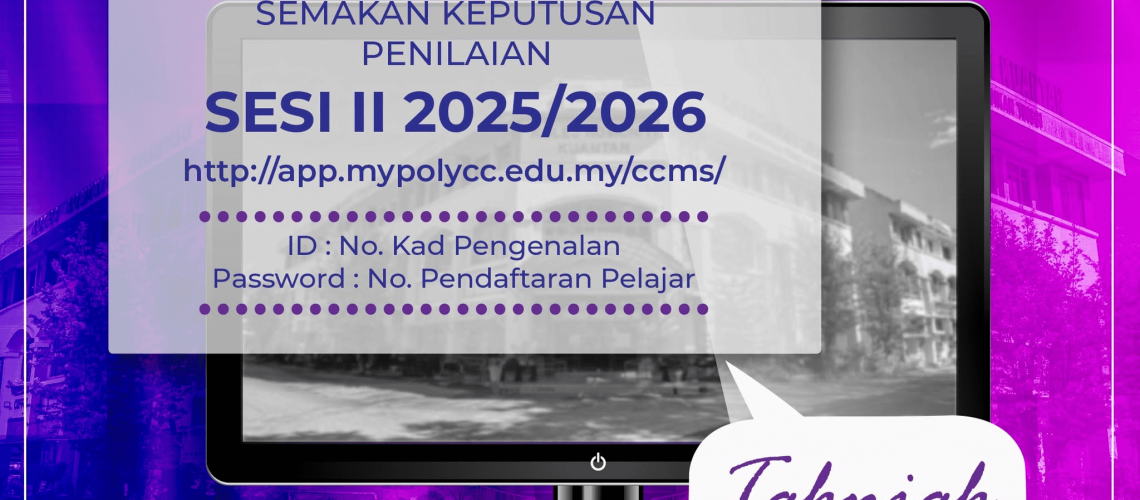
Community College Examination Results for Session II: 2025/2026 can be checked through the following link,
Checks can be done starting June 8, 2026 (Monday), 10 am.
Students who want to check can enter ID: No. Identification Card and Password: No. Student Registration at the review link mentioned above.
Let’s refer to how to review Community College Exam Results Session II: 2025/2026 in more detail and related important info below.
When Can I Check the Community College Exam Results Session II?
You can review the Evaluation Results of Session II: 2025/2026 can be implemented starting 8 JUN 2026 (Monday), 10 am.
Results can be checked through the link provided.

How to Check Community College Assessment Results
Community College exam results can be checked by visiting the CCMS 2.0 Portal at the following link:
You need to enter the information:
- Username: Identification card number
- Password: Student number
How to Check the Average Point Value Collection (HPNM)?
To check your Accumulated Average Credit Points (HPNM) you can refer to the method shared below to find out the value of your accumulated credit points.
- Add the number of credit points for all semesters to get the total number of credit points collected.
- Increase the number of credit hours all semesters.
- Divide the total credit points of all semesters by the total credit hours of all semesters.
How to Calculate Average Points
- Multiply credit hours and point value of each subject to get Credit Points
- Add credit hours for all subjects to get Total Credit Hours
- Add credit points for all subjects to get Total Credit Points
- Divide the number of credit points and the number of credit hours
Community College Grading System
The student’s academic achievement status is determined in each semester/module based on Average Grade Points as per the table below:
REGISTRATION OF NEW STUDENTS
For new students, you can get the result slip online after registering with the following steps:
- Visit the website.
- Click > STUDENT REGISTER.
- Select > NEW STUDENT.
- Please enter the ID number without the (-) sign. Make sure the registration number starts with N01.
- A display of student information will appear on the screen.
- Click on the SLIP button to get the exam result slip.
- Please contact the Examination Unit if there are any problems or questions.
Keep working and keep achieving higher success.
Community College Exam Results FAQ
CCMS – Community College Management System is a centralized management system for the purpose of managing the records of Community College students.
The Community College Management System was developed ‘in-house’ to meet the aspirations of the Department of Polytechnic Education & Community Colleges (JPPKK) to provide a comprehensive and complete Student Data Management platform.
For the purpose of developing a comprehensive student management system, a group of staff with various backgrounds and expertise has been formed. The goal is only one; To produce a comprehensive system independently (inhouse) based on the Single-Sign-On (SSO) concept.
Pleased to be informed that students can review the Official Results of Assessment Session II: 2025/2026 starting 8 JUNE 2026 (MONDAY), 10 AM.
Also read:
PakarPBN
A Private Blog Network (PBN) is a collection of websites that are controlled by a single individual or organization and used primarily to build backlinks to a “money site” in order to influence its ranking in search engines such as Google. The core idea behind a PBN is based on the importance of backlinks in Google’s ranking algorithm. Since Google views backlinks as signals of authority and trust, some website owners attempt to artificially create these signals through a controlled network of sites.
In a typical PBN setup, the owner acquires expired or aged domains that already have existing authority, backlinks, and history. These domains are rebuilt with new content and hosted separately, often using different IP addresses, hosting providers, themes, and ownership details to make them appear unrelated. Within the content published on these sites, links are strategically placed that point to the main website the owner wants to rank higher. By doing this, the owner attempts to pass link equity (also known as “link juice”) from the PBN sites to the target website.
The purpose of a PBN is to give the impression that the target website is naturally earning links from multiple independent sources. If done effectively, this can temporarily improve keyword rankings, increase organic visibility, and drive more traffic from search results.