New Portal Replaces Ezbiz Online
May 9, 2026
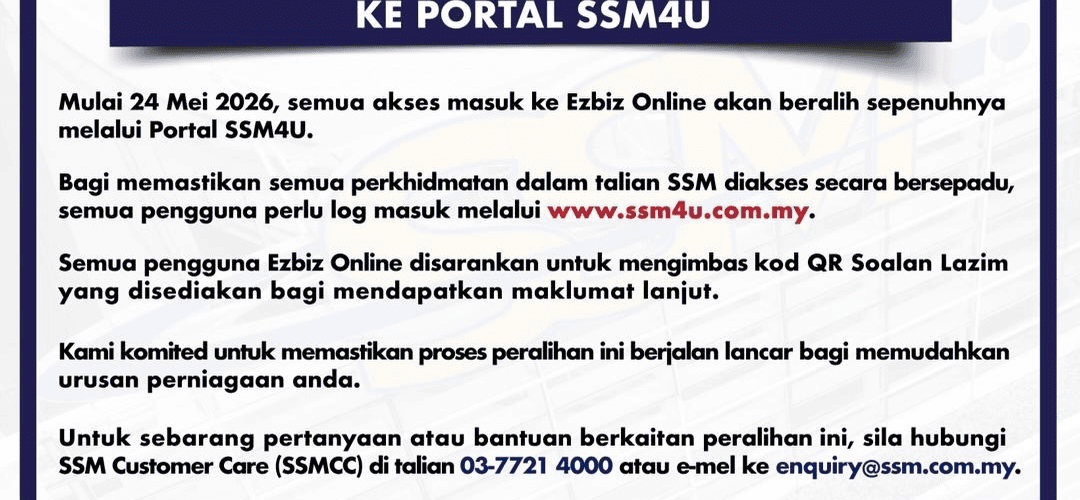
Start 24 Mei 2026the Companies Commission of Malaysia (SSM) will transfer all access to Ezbiz Online entirely through the SSM4U portal.
This move aims to integrate all SSM online services under a single login platform (Single Sign-On).
Apart from that, SSM4U is also the main entry point for other systems such as MyCoID, MBRS, MyLLP, XCESS, and DCTC.
Refer to full information about SSM4U including how to register and log in to this portal below.
What is SSMU Portal?
The SSM4U portal is a website provided by the Companies Commission of Malaysia (SSM) to facilitate the public to access their various online service systems through a single login (Single Sign-On).
Through this portal, users can access main systems such as EzBiz, MyCoID, MyLLP, and MBRS more easily and efficiently without having to register a separate account for each service.
The portal, which operates 24 hours a day, offers modern features such as self-profile registration, biometric identity verification, as well as a personal dashboard to centrally monitor the status of transactions and correspondence.
All SSM owners need to register an account on the SSM4U portal to ensure that you can access personal information and the latest info on this portal.
Usage & Service
The SSM4U portal offers a variety of uses and services that facilitate identity management and digital access to SSM’s main system.
Here are the main uses and services provided:
- EzBiz Online: Used for registration, renewal, and closure of sole proprietorship or partnership businesses.
- MyCoID: System for company incorporation (Sdn Bhd) and online corporate information management.
- MyLLP: Used for registration and management of Limited Liability Partnerships (PLTs), including submission of annual declarations.
- MBRS (mPortal): A reporting system for submitting the company’s Annual Statement (AR) and Financial Statement (FS).
- e-BOS: System for dealing with Beneficial Ownership information electronically.
- XCESS: Services to purchase business product information or personal involvement of individuals in business entities.
- DCTC Reader & Checker: Used to check the validity of SSM digital documents that have been certified true (Digitally Certified True Copy).
- e-Search: Allows users to search SSM BizTrust QR codes to display business credibility online.
- e-COMTRAC: Used for registration of training programs and courses organized by the SSM Training Academy.
How to Register for SSM4U Portal & Login
a) For existing Ezbiz Online users (Change Password/Forgot Password). Please follow the following steps
- Visit the SSM4U portal at
- Click Login;
- Klik Forgot Password;
- Fill in the ID Type, ID Number, and Name information;
- Click Submit; And
- A password reset email will be sent to the email address you registered with SSM4U.

b) For new Ezbiz Online users (Daftar Baru/Register New Account). Please follow the following steps:
- Visit the SSM4U portal at
- Click Register;
- Fill in the required information;
- Submit the registration form;
- Receive a confirmation email containing a confirmation link;
- Click the link to verify the account; and
- Receive a notification email upon successful registration
USE:Existing Ezbiz Online users are requested to change their password (forgot password) on the SSM4U portal. Access to the SSM4U portal after this is using the registered e-mail address as in the ezbiz portal with a new password.
Please refer to the forgot password guide (
How to Update Email Address
The steps to update an email address are as follows:
- Visit the SSM4U Portal at
- Click Help;
- Klik I have registered but I can’t login to SSM4U;
- Klik I entered an incorrect email address during registration, what do I do?;
- Click Change Email;
- Fill in the ID Type, ID No, Name & Password information;
- Click Find;
- Fill in the correct email address information in the New Email field;
- Click Submit;
- The system will display the message Please check your email to proceed next process;
- Please check the notification email sent to the mailbox of the new email address and click the link provided in the email to verify the email address; and
- The SSM4U email address has been completely updated and you can log in to SSM4U.
How to Be Verified User (Identity Verification)
To perform important transactions (such as registering a new business), you need to verify your identity:
- Option A (e-KYC): Log in via the SSM4U mobile app (if available) and follow the instructions to scan your face and ID card
- Option B (Counter): Attend any nearby SSM office with your identity card for biometric verification.
More Information
For more information on the SSM4U Portal, please refer to:
- Portal SSM4U
- Facebook Companies Commission of Malaysia (Official Site)
- SSM Customer Service:
SSM4U Portal FAQ
Yes. Even if you have an Ezbiz, MyCoID, or MBRS account, you still need to register an account at SSM4U. This portal serves as a single sign-on hub that will connect all your existing accounts under one digital identity.
– General User: After registering, you can view general information, but cannot make official transactions.
– Verified User: You have gone through the identity verification process (biometrics/e-KYC). This status is mandatory to do things like business registration, renewal, and submission of company documents.
– Digitally (e-KYC): Through a mobile device (follow the face scan and ID card instructions on the portal).
– Attend the Counter: You can attend any nearby SSM office by bringing the original MyKad for verification at the kiosk or counter.
Please check the Spam or Junk Mail folder in your email. Make sure the email address entered during registration is correct. If there is still none, you can click the “Resend Activation Email” button on the SSM4U home page.
Of. The SSM4U portal is accessible 24 hours a day, 7 days a weekincluding public holidays and weekends to make things easier for you.
None. Account registration on the SSM4U portal is free. Fees are only charged for business transactions or the purchase of certain SSM product information.
PakarPBN
A Private Blog Network (PBN) is a collection of websites that are controlled by a single individual or organization and used primarily to build backlinks to a “money site” in order to influence its ranking in search engines such as Google. The core idea behind a PBN is based on the importance of backlinks in Google’s ranking algorithm. Since Google views backlinks as signals of authority and trust, some website owners attempt to artificially create these signals through a controlled network of sites.
In a typical PBN setup, the owner acquires expired or aged domains that already have existing authority, backlinks, and history. These domains are rebuilt with new content and hosted separately, often using different IP addresses, hosting providers, themes, and ownership details to make them appear unrelated. Within the content published on these sites, links are strategically placed that point to the main website the owner wants to rank higher. By doing this, the owner attempts to pass link equity (also known as “link juice”) from the PBN sites to the target website.
The purpose of a PBN is to give the impression that the target website is naturally earning links from multiple independent sources. If done effectively, this can temporarily improve keyword rankings, increase organic visibility, and drive more traffic from search results.